Tracking cash transactions in your investment portfolio gives you a complete picture of your account, not just the shares you hold. Besides your stocks, ETFs, and mutual funds, a portfolio also includes the cash sitting in the account, and now that cash can be tracked directly alongside your investments.
How to Add a Cash Transaction
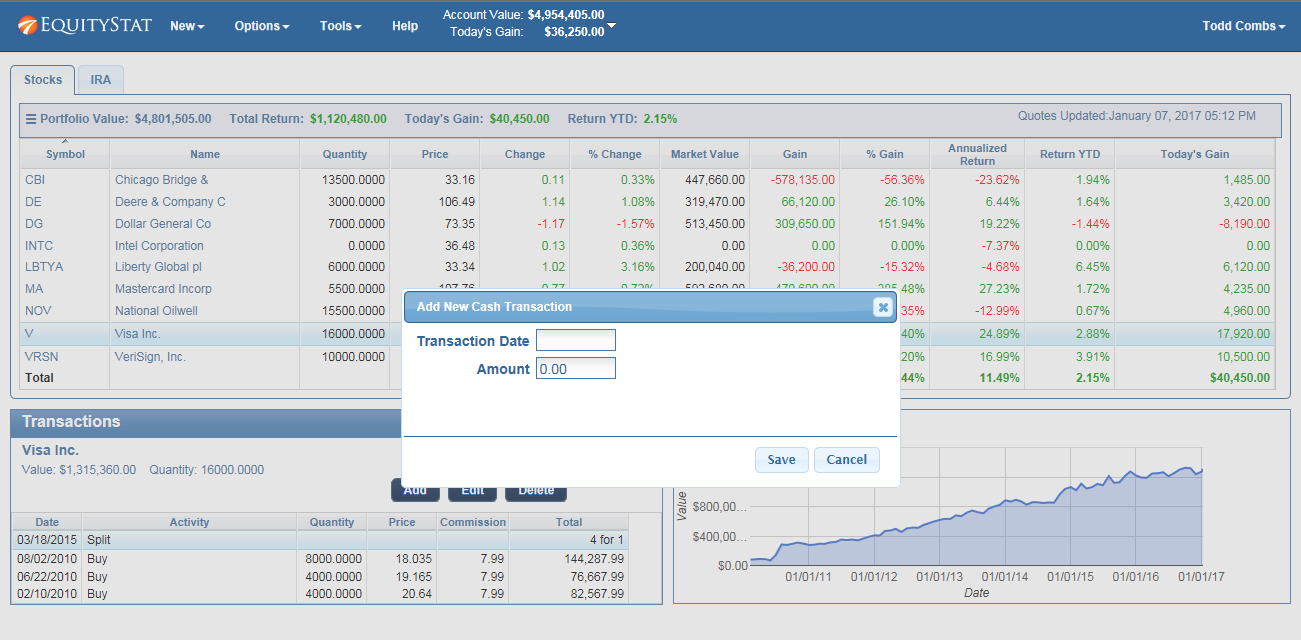
To add a cash transaction, click the New menu and choose New Cash Transaction from the dropdown. In the popup dialog, enter the date of the transaction and the amount, then save it. The transaction is added to your portfolio’s cash balance right away.
How Cash Transactions Work with Dividends
To have dividends flow into your cash balance automatically, two settings need to be turned on From there, turn on “Enable Cash Transactions”, and also turn on “Dividend Transactions Deposit Into Cash”. Once both of these preferences are turned on, any dividends from your other investments that are not reinvested will be added to your cash balance automatically. This means you do not have to manually log every dividend payout as a separate cash deposit. If a dividend is paid out rather than reinvested, it flows into your cash total on its own, keeping your overall portfolio value accurate without extra work on your part.
Why Tracking Cash Matters
Cash is often the piece investors forget to account for. A portfolio that only tracks stocks, mutual funds and ETFs can understate your actual holdings, especially if you regularly receive dividends that are not reinvested or if you hold cash between trades. Recording cash transactions closes that gap, so your total portfolio value reflects everything you actually have, not just what is invested in the market at any given moment.